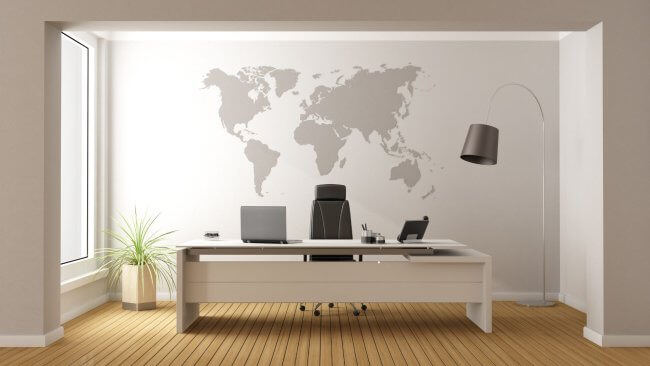
In modern working life, we spend a large part of the day in front of a computer. This causes eye strain and reduces overall productivity. Eye strain affects not only employees' health, but also the quality of their work directly. Office design is one of the most important factors in minimizing this problem. Appropriate lighting, correct sitting posture, and visual balance help keep the eyes comfortable. Planned design approaches in the office environment can enable employees to work more healthily and effectively. One of the issues people complain about most is working under artificial light for long periods. This causes redness in the eyes, a feeling of dryness, and headaches. Proper lighting arrangements are very important in preventing such problems. Color selection also plays an important role in reducing eye strain. Excessively bright colors are distracting, while muted colors create a sense of calm. Monitor placement is another important factor. When the screen is at eye level and at an appropriate distance, the eyes become less tired. Using natural light in the office is beneficial for both psychological comfort and eye health. Adding plants to the office environment both increases oxygen levels and creates visual comfort. Ergonomic furniture supports correct sitting posture, indirectly reducing strain on the eyes as well. Overall, healthy design approaches both protect employees' well-being and increase productivity. In this article, we will explore the most effective office design approaches for reducing eye strain.
Proper lighting and opportunities for natural light
Lighting is one of the most important factors in office design. Making the most of natural light is essential to keeping our eyes healthy. Large windows and positioning the desk parallel to the light minimize eye strain. However, natural light alone is not always sufficient. This is where the choice of artificial lighting becomes important. Lights that are too bright or too dim cause eye strain. The best solution is to use LED lamps, because they save energy and do not tire the eyes. The color temperature of the light also plays an important role. Very cool light is tiring, while very warm light reduces concentration. Lamps with a balanced, intermediate color temperature close to natural daylight create a more comfortable environment. Even distribution of light is also important. Lighting only one side creates shadows and quickly tires the eyes. Desk lamps are useful as an additional light source. However, they must not shine directly into the eyes. Light reflecting softly off the ceiling and walls produces a more balanced result. Overall, proper lighting both protects eye health and increases employee motivation.
Color palette and visual comfort
The colors used in an office environment affect employees' psychological and physical health. Very bright colors can strain the eyes and distract attention. Calm tones allow people to concentrate for longer. Neutral colors such as white, beige, and light gray create visual balance. At the same time, using natural tones provides comfort for the eyes. Color harmony in furniture and accessories is just as important as the choice of wall colors. The contrast between colors should not be too sharp. Accent colors can be used in small amounts to increase motivation. Green, together with plants, symbolizes both naturalness and visual comfort. The color palette also determines the overall atmosphere of the working environment. Very dark tones can be tiring, while very light tones can irritate the eyes. The optimal choice is a balance created with soft, neutral colors. It is also very important for walls that employees look at for long periods to be in calm tones. Color harmony in the office improves the quality of work by preventing eye strain. Thus, color selection in office design is not only a matter of aesthetics but also a health factor.
Ergonomic furniture and screen placement
Choosing ergonomic furniture is very important for employees' comfort in the office. Incorrect sitting posture places additional strain on both the body and the eyes. Chairs at the correct height reduce strain on the back and neck. This results in less eye fatigue. Desks should also be at an appropriate height. Monitor placement plays a particular role in eye health. The screen should be at eye level and approximately 50-70 sm away. A screen that is too close or too far away causes eye fatigue. A monitor that is too high or too low also increases neck strain. When using multiple screens, it is important to position them symmetrically. Choosing an ergonomic keyboard and mouse also ensures overall comfort. Keeping unnecessary items off the desk improves attention. Footrests also support correct sitting posture. Overall, ergonomic design is important not only for physical health but also for protecting the eyes. Choosing the right furniture ensures employees' long-term productivity.
The impact of plants and relaxation areas
Plants in an office offer both visual and health benefits. Green’s calming effect provides comfort for the eyes. Plants improve air quality by increasing oxygen. This prevents dry eyes. Plant placement creates balance and natural harmony. Even small potted plants reduce employee stress. Relaxation zones provide additional comfort. They are important for resting the eyes and mind during short breaks. Corners with soft seating, calm music, and natural light allow the eyes to rest. Plant-filled areas increase motivation. Relaxation zones also promote friendliness in a shared environment. Looking at distant points during breaks reduces eye fatigue. Both plants and relaxation areas thus positively affect overall work quality. These elements are important not only aesthetically but also for health.
Acoustic Comfort and Noise Reduction
Noise in the office increases the distractions associated with eye strain. Constant noise causes the eyes to focus more intensely on the screen. This increases fatigue and weakens vision. Acoustic panels and soft materials can reduce the spread of sound. Using sound-absorbing materials on walls and ceilings delivers effective results. Even carpets and curtains create acoustic balance. Noise problems are more common in open-plan offices. Creating individual work areas is useful in such cases. Glass partitions both maintain the flow of light and reduce the spread of sound. Soft background music also improves concentration. Reducing noise eases stress on the eyes and creates overall comfort, because people can look at the screen in a more balanced way in a quiet environment. Employees’ ability to focus improves, and their eyes consequently experience less strain. Acoustic design is important not only for hearing health but also indirectly for the eyes. Overall, offices with balanced sound levels improve employees’ physical and psychological health.
Technological equipment and its impact on eye health
The technology used in offices directly affects eye health. Monitor quality is one of the most important factors here. High-resolution screens help reduce eye fatigue. Monitors made with anti-reflective technology minimize light reflections. Automatic adjustment of screen brightness is also beneficial. A screen that is too bright or too dark causes eye strain. The choice of keyboard and mouse should also be ergonomic. Employees are advised to use eye-protection applications at intervals. The “20-20-20” rule is effective in this regard: every 20 minutes, look 20 feet away for 20 seconds. A monitor's blue light filter function reduces eye fatigue. Proper use of technology helps keep eyes healthier. At the same time, it is important for the amount of time employees spend in front of a screen to be balanced. Screen positioning during video conferences also affects eye health. Both quality and health aspects should be considered when choosing technological equipment. Thus, properly selected equipment both increases productivity and protects the eyes.